Queue management for clinics, cafés and counters
Everyone knows their turn.
Customers scan to join and wait anywhere. When it's their turn, their phone tells them, on WhatsApp too.
Free for up to 50 queues a day · No app to install · Try the live demo
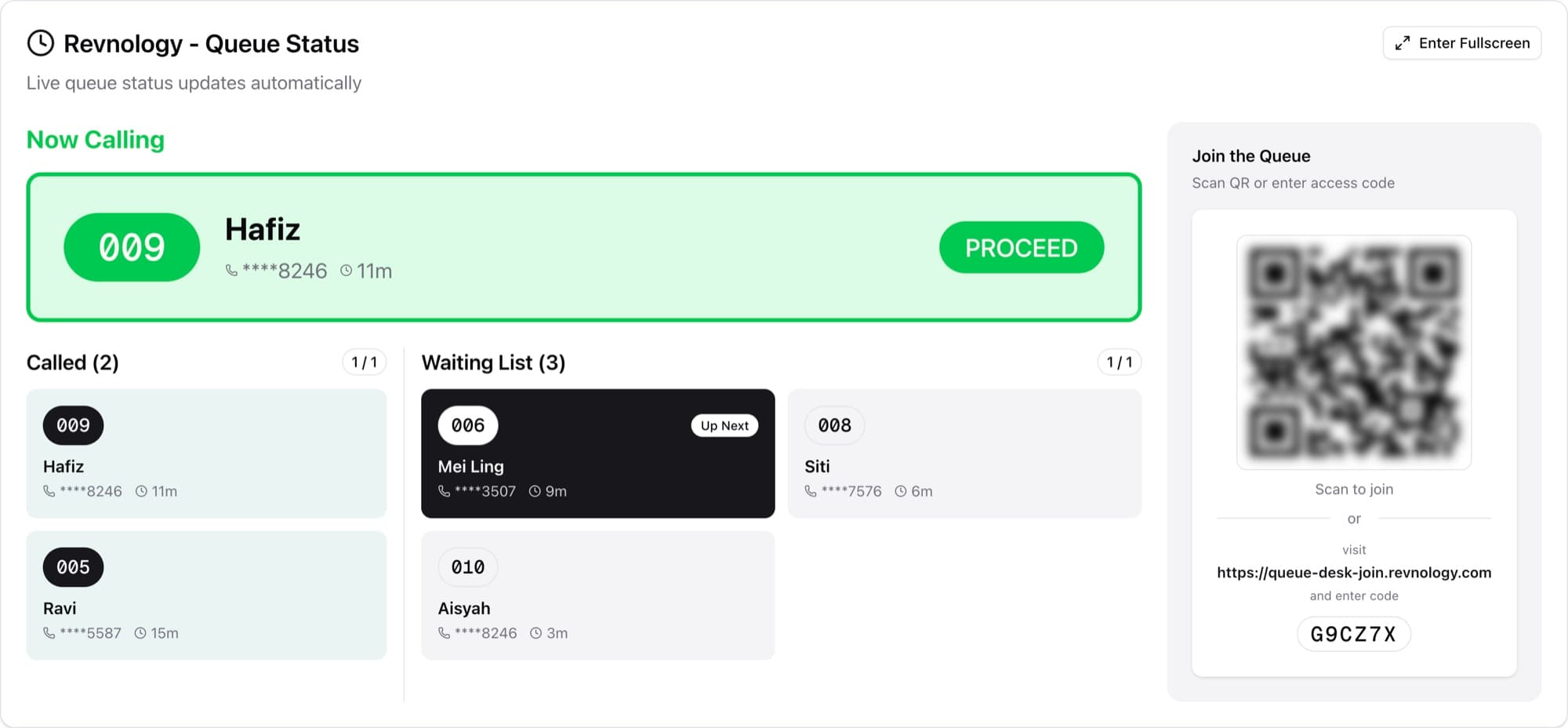
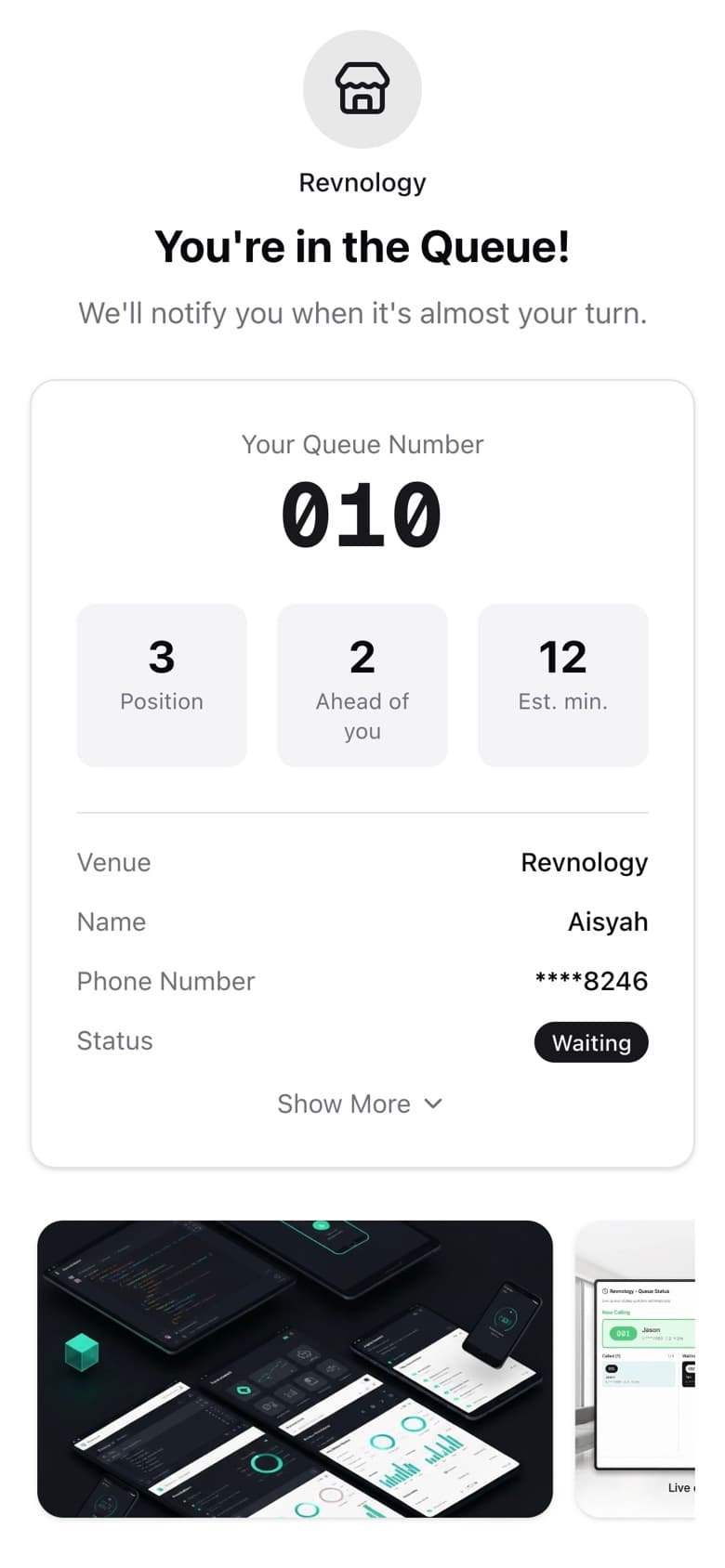
Queue Desk in a minute.
What changes for your customers and your staff, shown on the real app.
Why it works
Clear, fair and calm.
Clear
Everyone sees their number, their place and their wait.
Fair
First come, first called. Nobody is missed by mistake.
Calm
No shouting and no crowd at the counter.
What changes
From a crowded counter to a calm queue.
Without Queue Desk
- Customers miss their turn if they step away
- Numbers shouted across the room
- “How long?” at the counter all day
- A crowd waiting at the door
- No record of who waited or left
With Queue Desk
- An alert on their phone or WhatsApp when it's their turn
- Numbers on a screen everyone can read
- The wait time on every customer's phone
- Customers wait anywhere nearby
- Every call kept in the queue history
- RM0
- to start, for up to 50 queues a day
- 0
- apps for customers to install
- 1
- screen for staff to call the queue
- 4
- modes to suit your counter
Features
Everything the queue needs.
Nothing it doesn't.
Join with a QR code
Customers scan at the door. No app to install.
Called on WhatsApp
Customers track the queue on WhatsApp and get a message when it's their turn. Paid add-on.
A display everyone can read
Now calling and up next, live on any screen.
Their place, on their phone
Number, place and wait. The page updates on its own.
Call the next number in one tap
Call or cancel from one screen, and recall anyone who missed it.


Your banners on their phone
Clickable banners under the queue number: your menu, deals or bookings. From the Easy Plan.
Share with the group
Joined for four? Share the link, and everyone follows the same number.
Your own messages
Write what customers get on WhatsApp when they join, are called and are done: ask for a Google review, share your menu, say thanks. Paid add-on.
Know your busy hours
Peak hours and average waits, in a report from our team. Self-serve reports are coming soon.
How joining works
From scan to served.
What your customers see, from the real app.
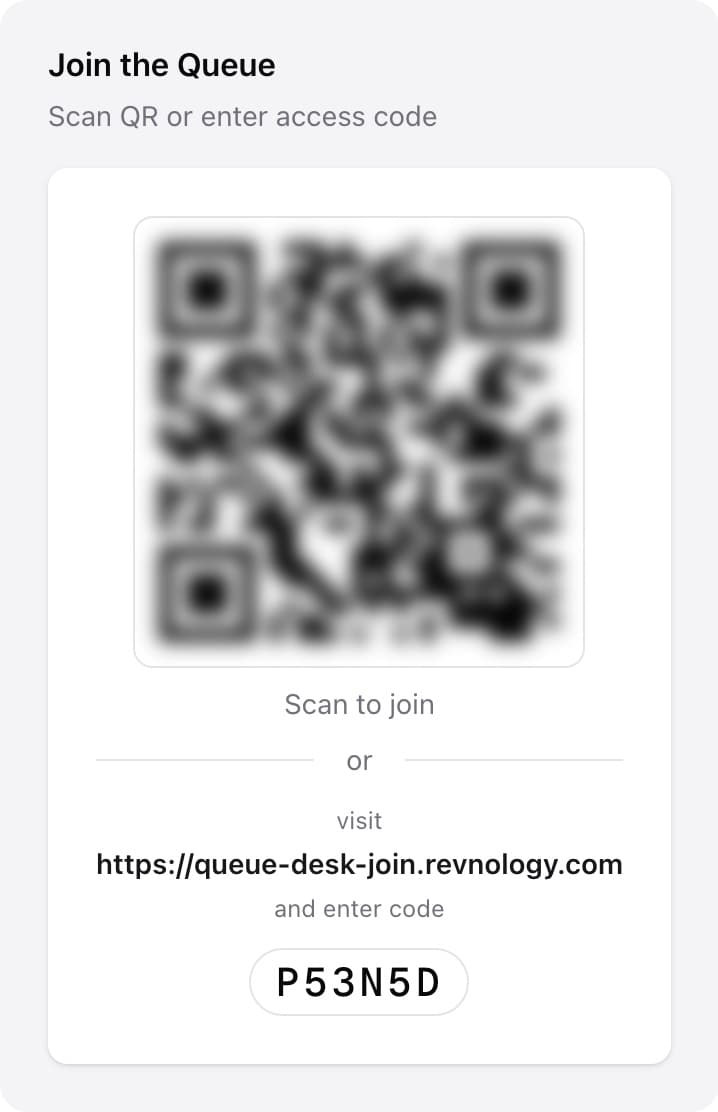
1Scan the codeOn the display or a printed standee. - queue-desk-join.revnology.com
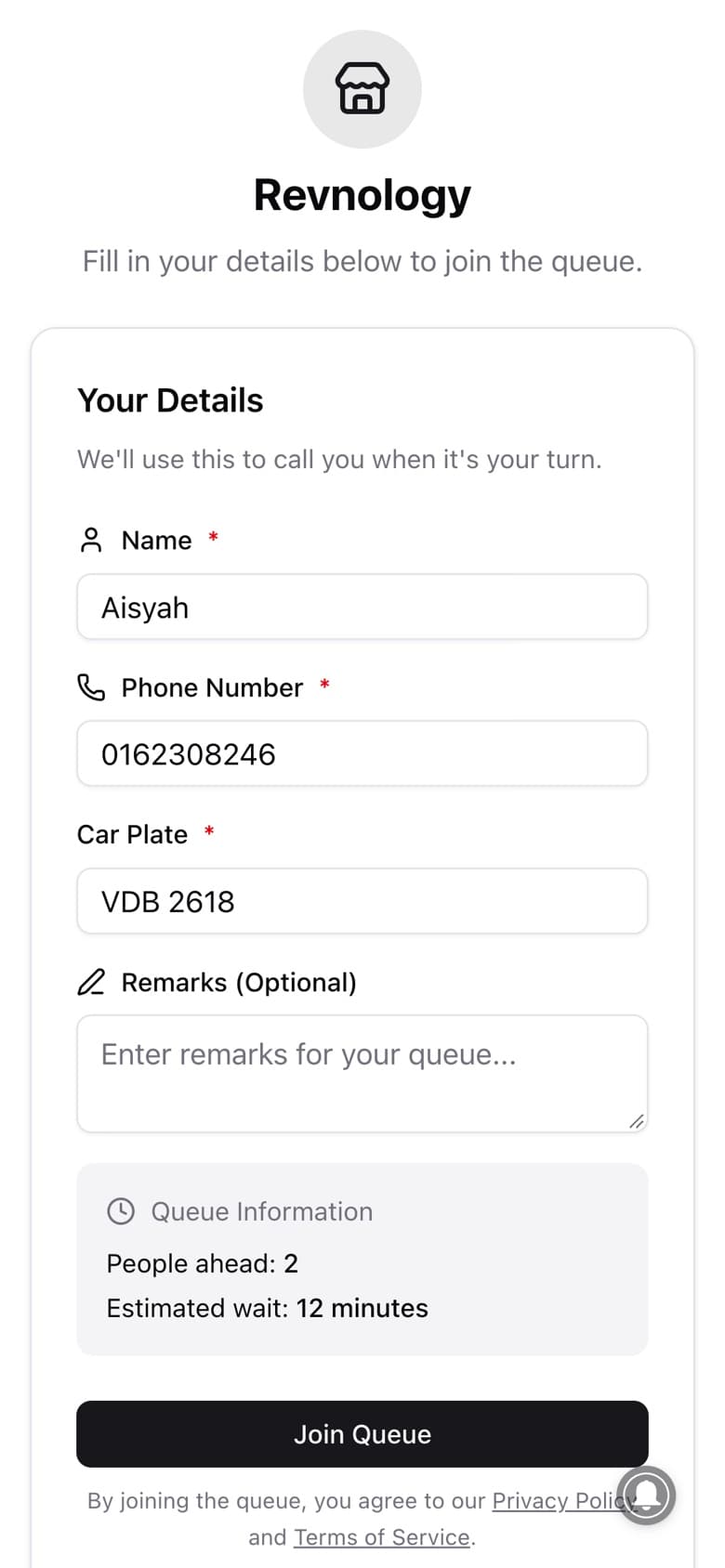
2Add a name and numberNo app, no sign-up. - queue-desk-join.revnology.com
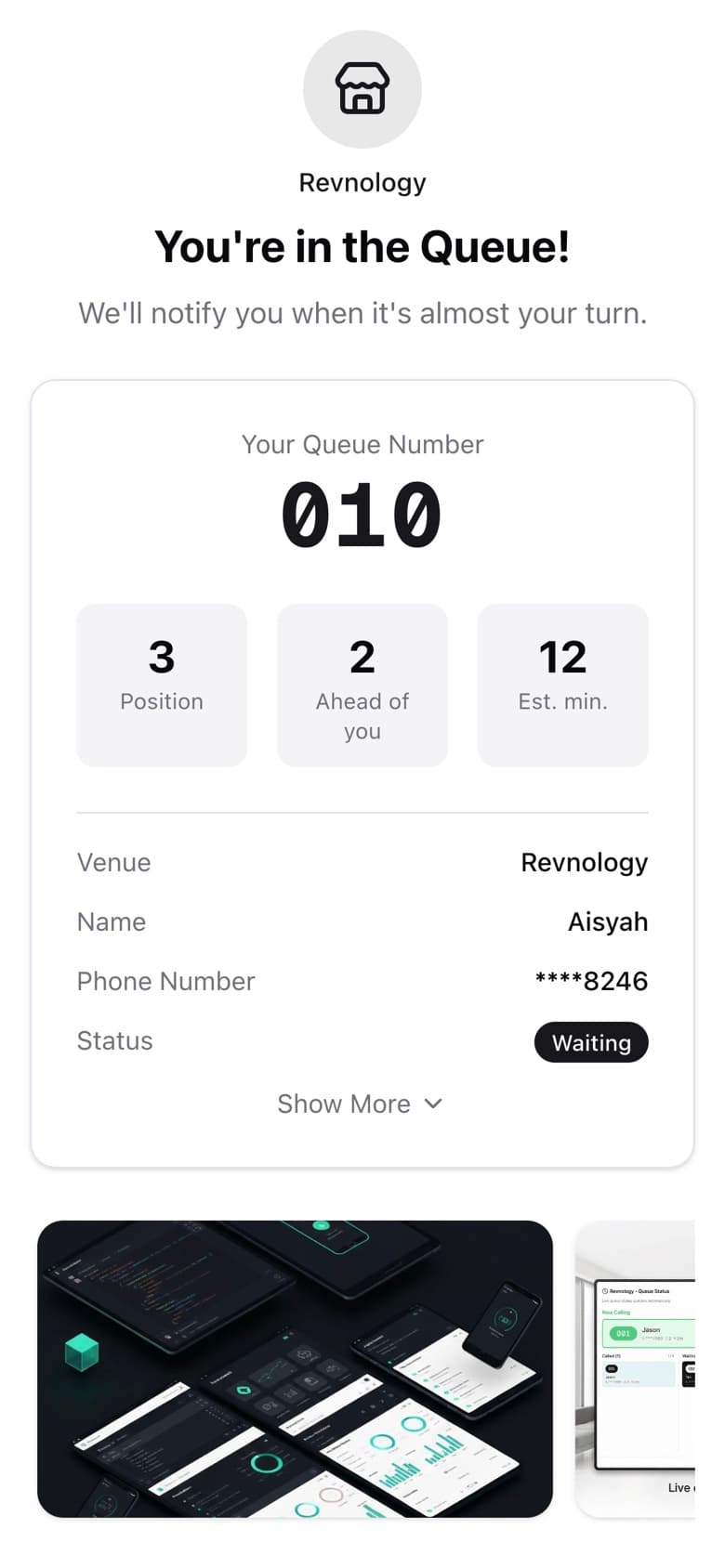
3Wait anywhereThe number and place update live. - queue-desk-join.revnology.com
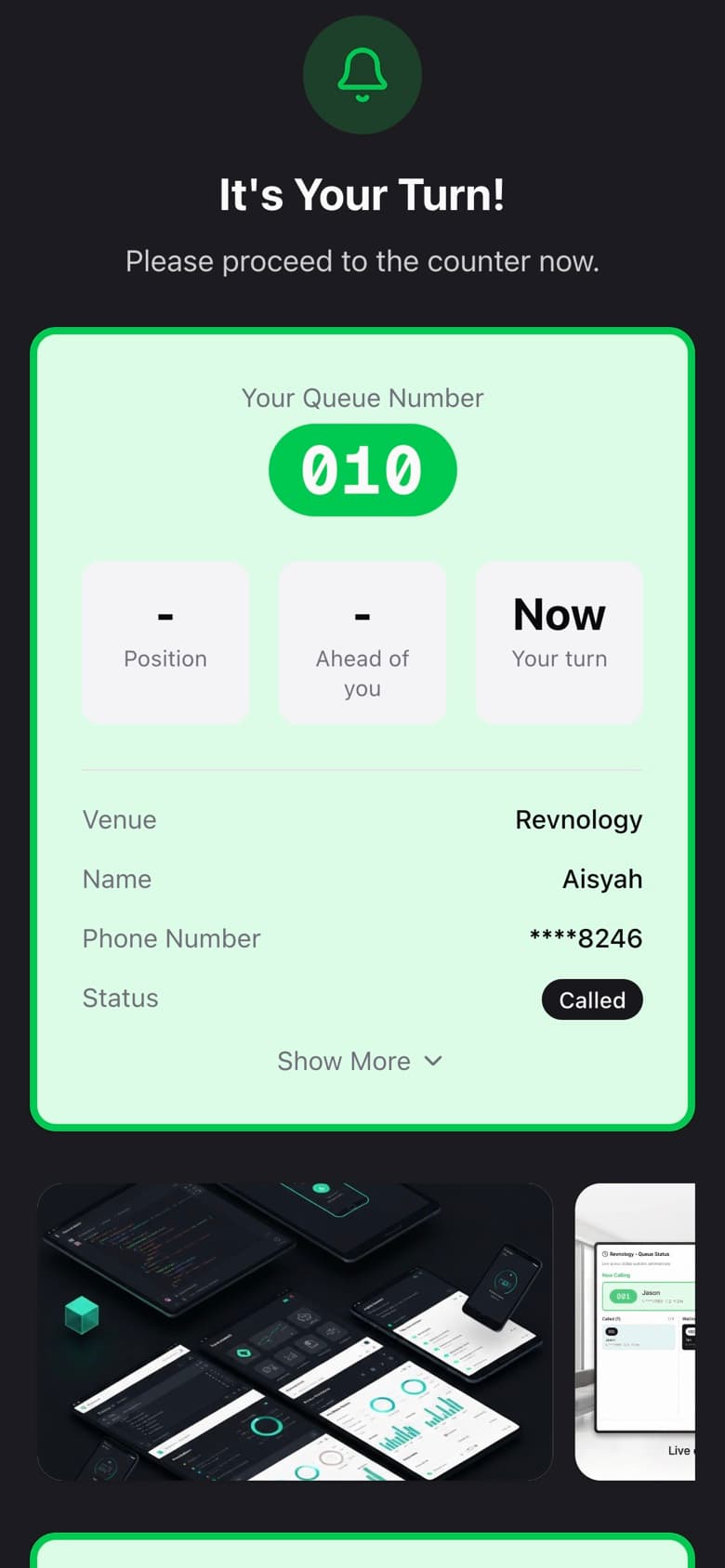
4Get calledA sound, push or WhatsApp alert, and the screen flashes.
Runs in Internal, Display, Self-Service or Full Mode. Staff can use their own phone. Compare modes · Watch how it works
On the waiting page
Make the wait work for you.
The page customers keep open while they wait carries your promotions, and the whole party can follow it.
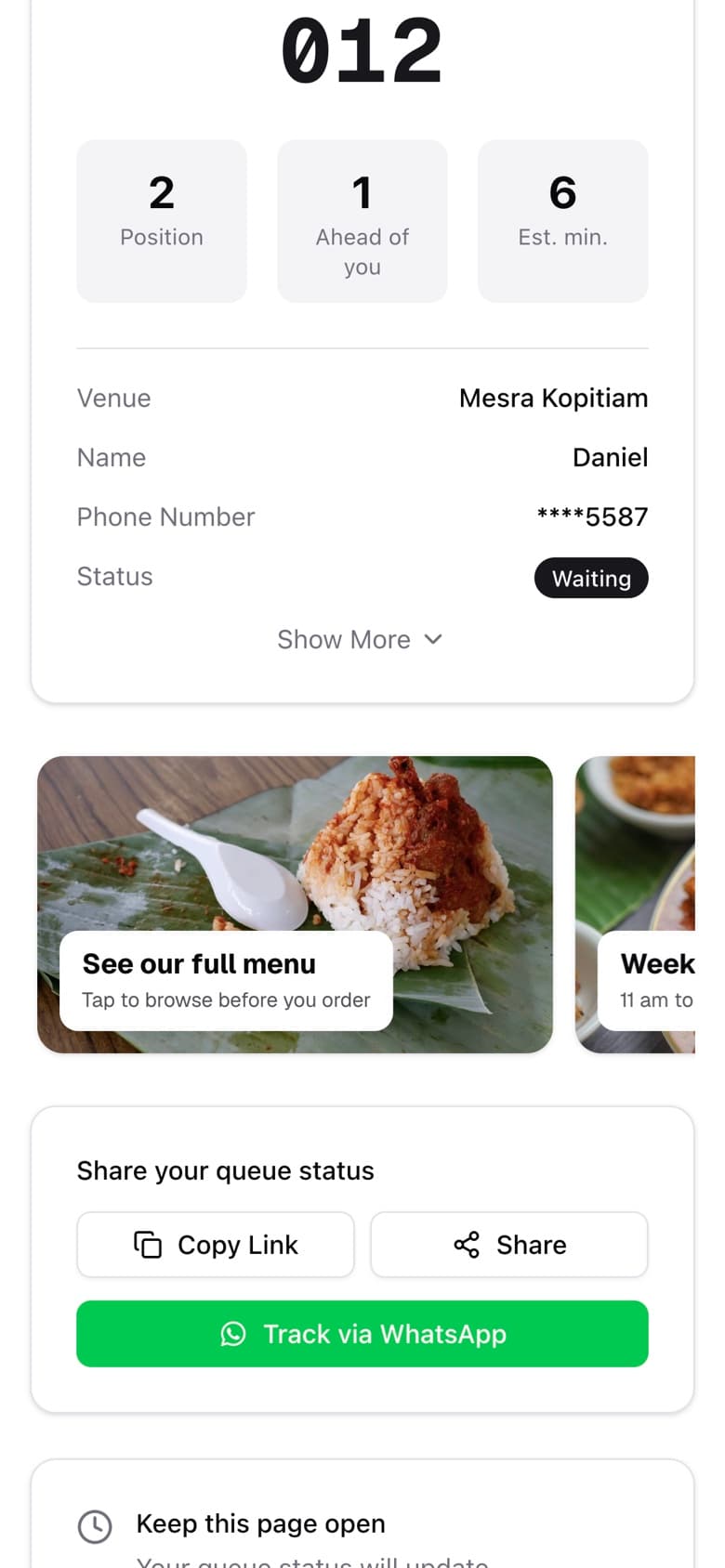
Your banners, on every phone in the queue.
Your banners scroll under the queue number, and each one opens your link: a menu, this month's promotions, a booking page. One banner on the Easy Plan, three on Basic, ten on Advance.
- A restaurant opens its menu
- A car service centre shows this month's deals
- A clinic lists its health screening packages
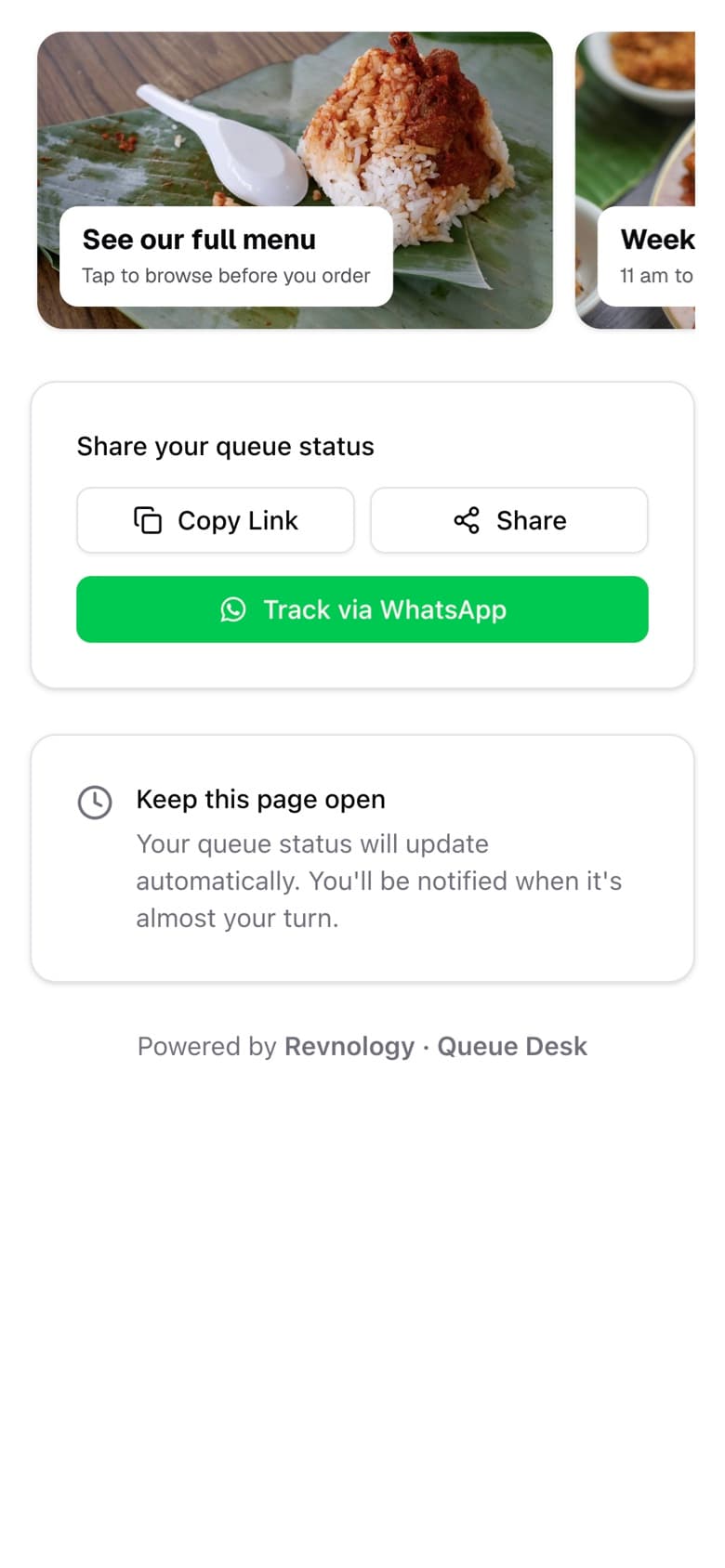
One queue number for the whole party.
Joined for a table of four? Share the queue link, and everyone follows it on their own phone.
- Copy the link, or share it to any app
- Everyone sees the same number, place and wait
- No need to join twice
WhatsApp alerts
Called on WhatsApp.
Customers follow the queue in the app they already use. No page to keep open, no screen to watch.
One tap to track
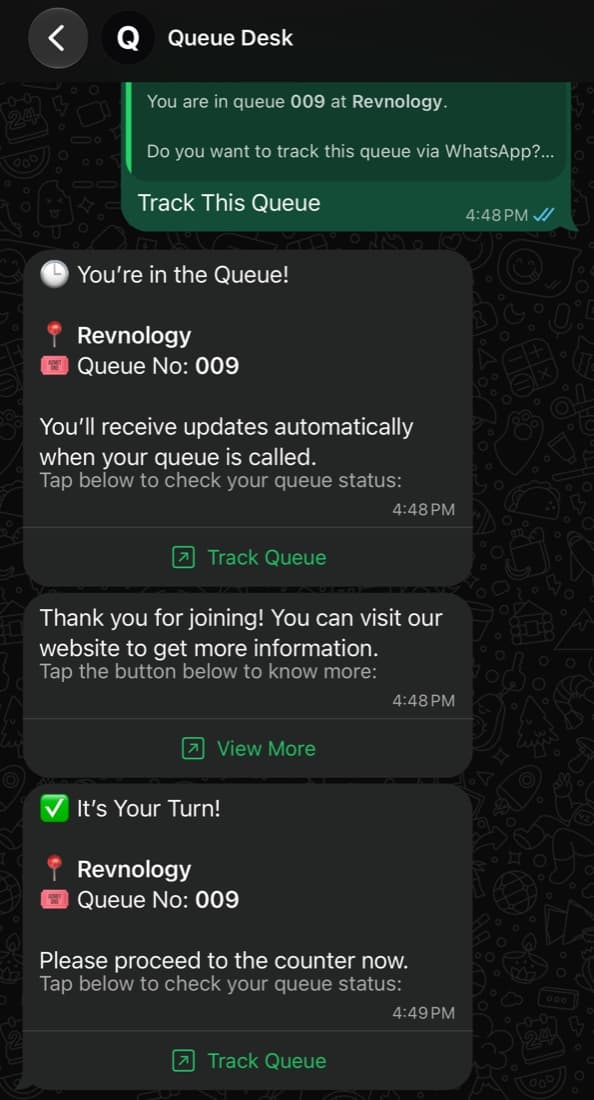
Customers tap Track This Queue and get their number with a link to follow it.
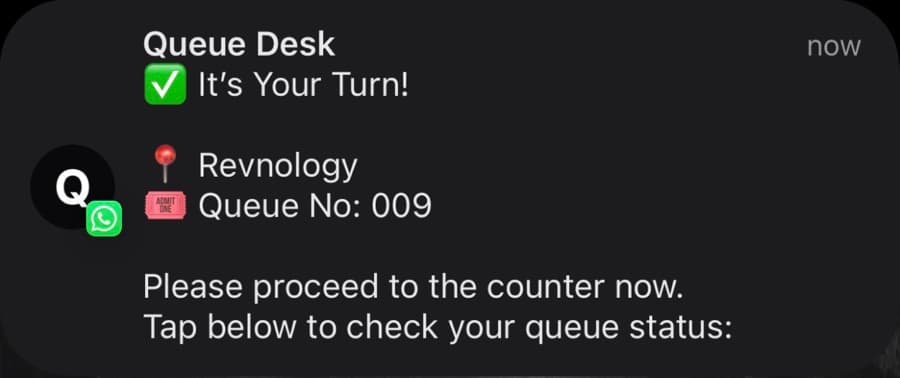
Called, even with the phone locked
“It's Your Turn!” arrives as a WhatsApp notification, with the venue and the queue number.
Your own messages
Write the messages customers get when they join, when they're called and after they're done. Ask for a Google review, share your menu or say thank you.
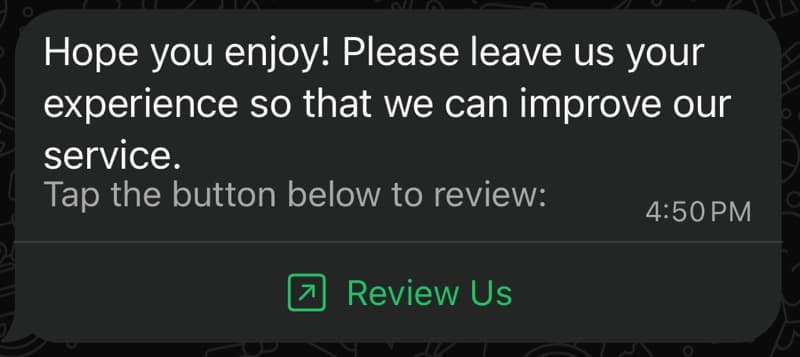
One example: the message after the visit, asking for a review.
WhatsApp messaging is a paid add-on, as Meta charges for business messages. Messages come from the Queue Desk WhatsApp business account. Talk to sales for rates. The join page also has a sound alert, a screen flash and push notifications. WhatsApp is a trademark of WhatsApp LLC.
Live demo
Try it on your phone.
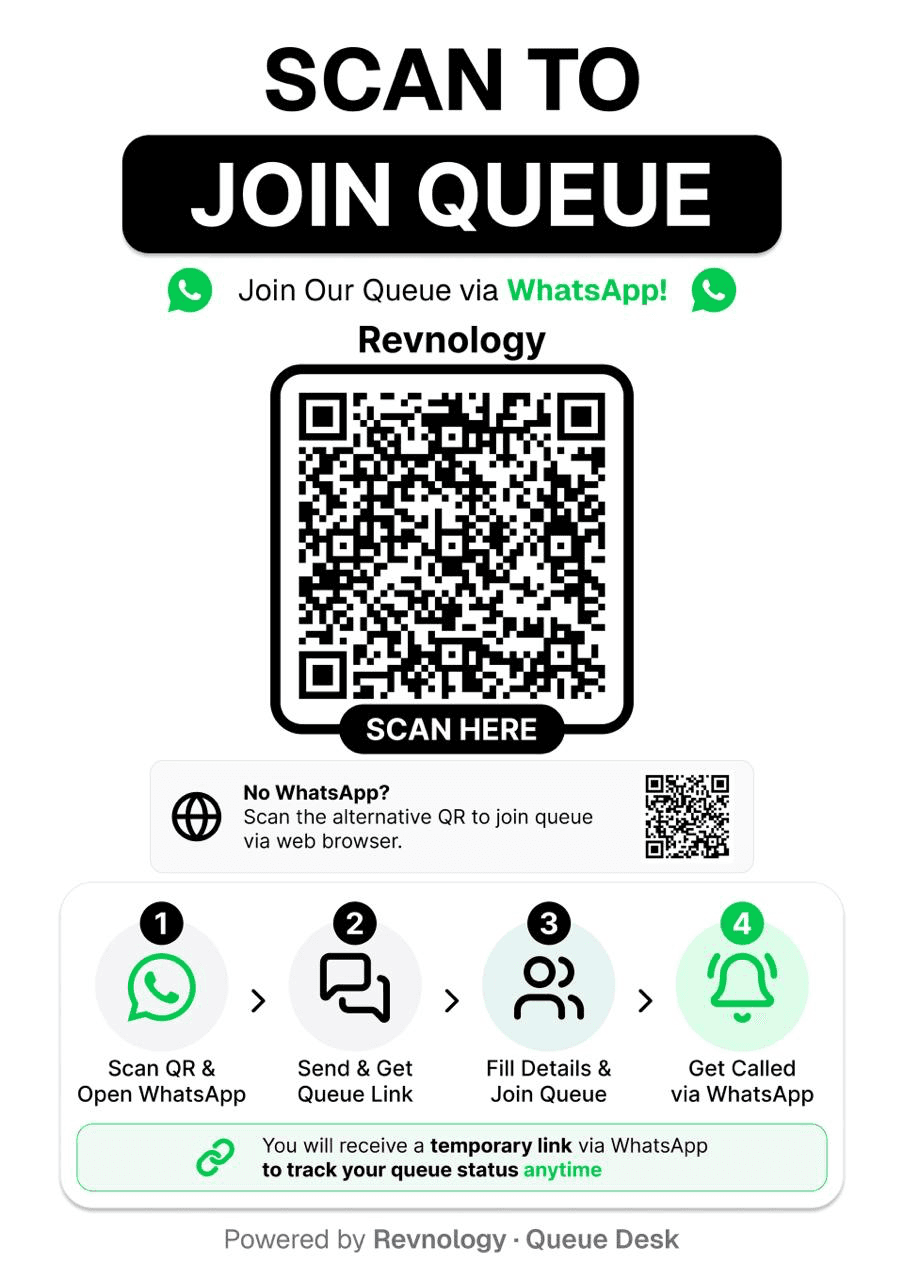
Join our demo queue on WhatsApp. About 30 seconds later, the demo calls your number, just as your staff would.
- 1Scan the codeWhatsApp opens with a message ready. Send it.
- 2Join the queueTap Join Queue, add your name and number, and you're in.
- 3Wait about 30 secondsThe demo presses Call for you, as staff would at the counter.
- 4Get calledIt's your turn, on WhatsApp and on the queue page.
Messages marked [EXPLANATION] tell you what is happening at each step. The demo is free to try; WhatsApp messaging for your own venue is a paid add-on.


Made for any walk-in counter.
Pricing
Start free. Pay as you grow.
Free Plan
RM0
Up to 50 queues a day
Pay-As-You-Use Plan
RM0.05/queue
No daily limit, prepaid credits
Yearly plans
From RM1/day
Up to 1,500 queues a day
- Real-time updates
- Web portal access
- Join by QR code or access code
- No app for customers to install